VMware sources
There are 3 types of vmware sources that can be registered in Migration Manager. Instance and network properties will be imported from each registered source, and periodically updated.
ESXi
ESXi sources import instances and the networks that are in use by them.
Instances
Instance properties will be automatically imported from the source once registered. Properties include the following information:
Location path
UUID
Secure-boot enabled
Legacy boot (CSM) mode
TPM present
Power state
CPU count
Memory in bytes
Attached disks
Attached NICs
Existing snapshots
Background import support
Additional key-value config keys
Note
Some disks do not support snapshots. Instances with these disks will be disabled from migration by default.
This can be viewed by inspecting a disk’s supported field in Migration Manager.
Change tracking
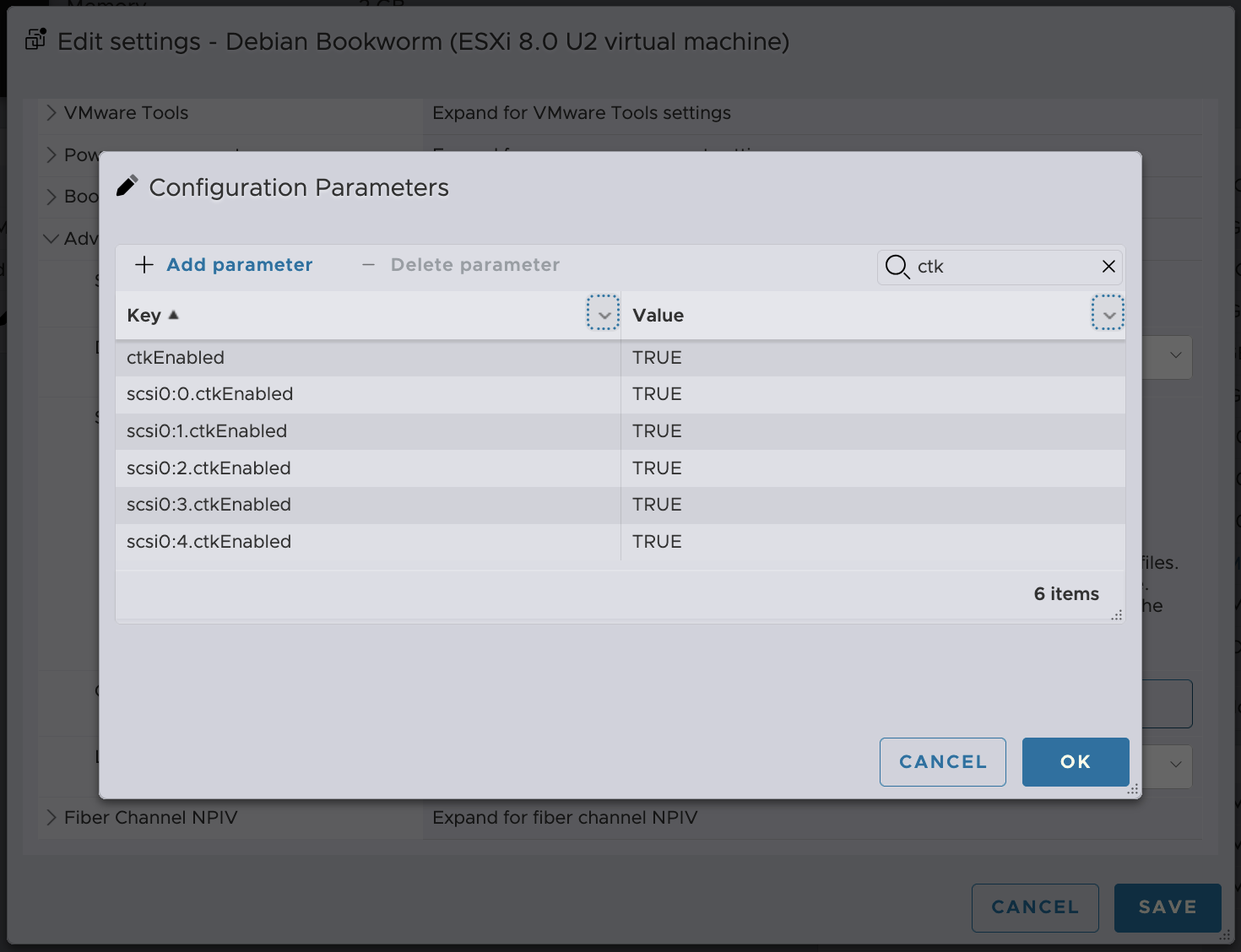
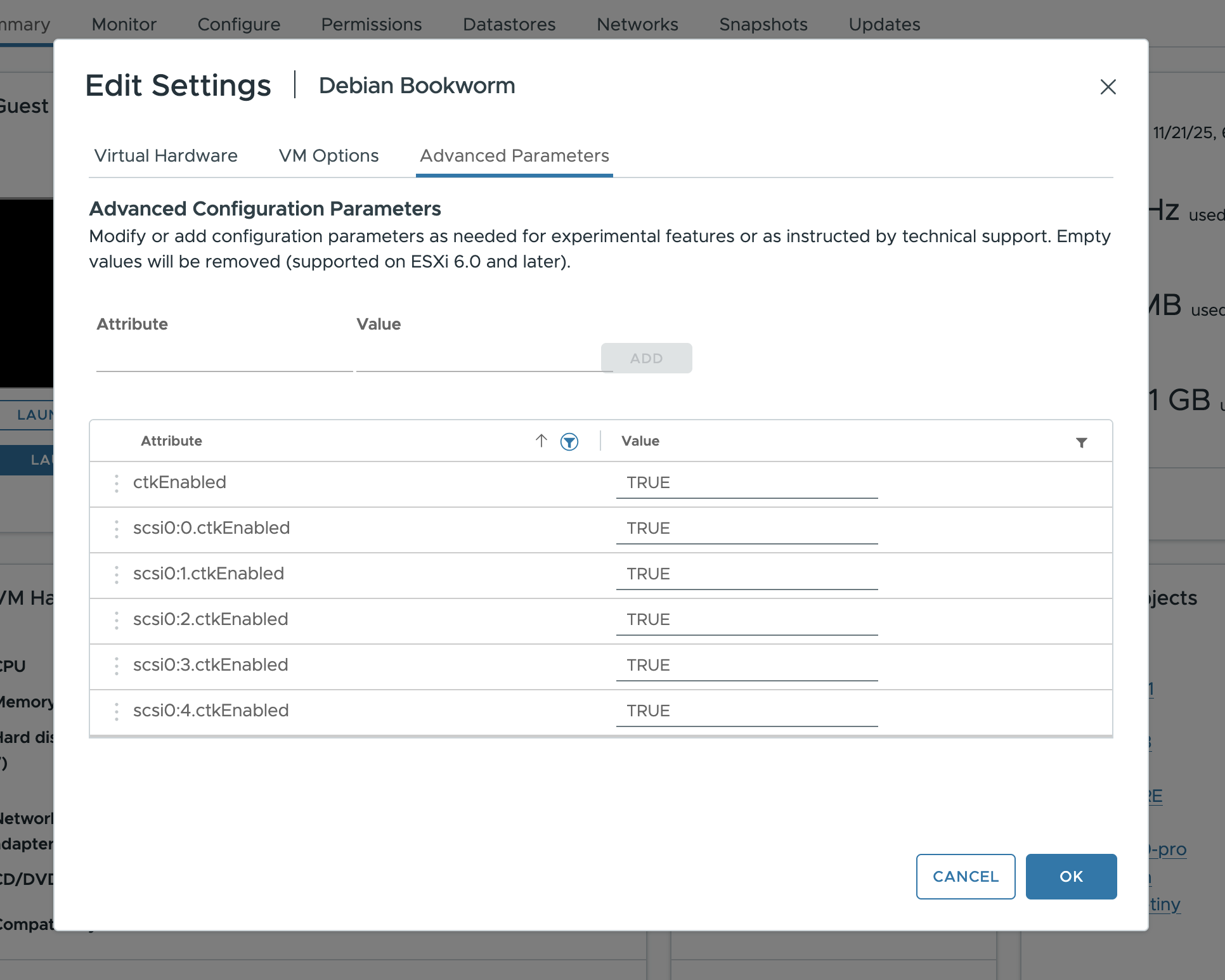
To enable background import, ensure the following config keys are set on the VM for each SCSI controller and volume. A reboot is required to fully enable change tracking:
ctkEnabled
scsi0:0.ctkEnabled
Note
Instances without change tracking will be restricted from migration without overridden. Without background import, the source instance will be powered off for the entire migration, extending downtime.
Guest agent data
Some properties are contingent upon the guest agent being installed on the source VM, and the VM being powered on.
OS name
OS version
Architecture
IP addresses
Note
Instances missing these fields will be restricted from migrations unless overridden.
Overrides
Some instance properties including CPU/Memory sizing as well as guest agent data and key-value config can be overridden from the defaults
Networks
The underlying networks in use by instance NICs will be recorded as well. These are broken down by type:
Network type |
Description |
|---|---|
|
standard virtual switches |
|
distributed virtual switches |
|
NSX-backed switches |
|
VLAN-backed NSX switches |
Overrides
By default, migrations will expect the same network name to be present on the migration target. These fields can be overridden from the defaults:
Target network name
Target network NIC type (managed or bridged)
Target network VLAN tag (bridged only)
vCenter
All of the properties available for ESXi sources are also available for vCenter sources, with some additions:
Tags (Imported as the
tagsinstance property, and applied to migrated instances asuser.tags.{index}.{category}={tag}config keys)Resource pools (Imported as key-value config with the prefix
vmware.resource_pool.)NSX manager sources will be auto-imported by their IP addresses. Credentials will not be assigned by default.
Required permissions
Migration Manager requires certain permissions in order to perform migrations:

NSX
NSX Managers can be imported as sources of type nsx-t. For any existing vCenter source, additional network properties such as segment paths, IP pools, and gateway and security policies will be imported.
Security tags applied to VMs in NSX are imported as the sdn_tags instance property, and can be used in filters.
They are applied to migrated instances as user.sdn.tags.{index}.{scope}={tag} config keys, where the index only distinguishes tags sharing a scope.
Periodic sync
All data imported from sources will be updated every 10 minutes by default. This can be configured in system settings.
Once an instance is assigned to a batch, its syncing will be halted unless that instance is restricted from migration (such as missing guest-agent data or being powered off).
TLS certificate trust
Migration Manager verifies the TLS certificate presented by a source against the system trust store. If the source uses a certificate that isn’t trusted by default, either:
Confirm the certificate fingerprint when adding the source, which pins that exact certificate, or
Provide the issuing CA with
migration-manager source add --trusted-ca-file <file>ormigration-manager source update --trusted-ca-file <file>.
When Migration Manager runs on Incus OS, the CA certificates configured at the Incus OS system security level are trusted as well, without any additional source configuration.
Both the pinned certificate and the CA certificates are passed on to the migration worker, which doesn’t share the trust store of the system Migration Manager runs on.